




.avif)

The best RFP software for small businesses in 2026 has shifted from static databases to AI teammates that eliminate manual work. For a lean SMB team, AutoRFP.ai and Inventive AI are the strongest starting points: fast, affordable, and easy to run without a proposal manager. SiftHub is the top choice for mid-market and enterprise teams, and for small businesses growing fast toward that scale, because it works from live data across Slack, Drive, and your CRM instead of a library someone has to maintain. Loopio and Responsive still lead on strict compliance. Ultimately, choose the tool that acts as an intelligent partner, not just a digital filing cabinet.
The best RFP software for small businesses in 2026 has shifted from static databases to AI teammates that eliminate manual work. For a lean SMB team, AutoRFP.ai and Inventive AI are the strongest starting points: fast, affordable, and easy to run without a proposal manager. SiftHub is the top choice for mid-market and enterprise teams, and for small businesses growing fast toward that scale, because it works from live data across Slack, Drive, and your CRM instead of a library someone has to maintain. Loopio and Responsive still lead on strict compliance. Ultimately, choose the tool that acts as an intelligent partner, not just a digital filing cabinet.
What is RFP software for small businesses?
Request for Proposal (RFP) software is a digital platform that automates the process of answering questions in business proposals, security questionnaires, and due diligence documents.
At its core, it functions as a central "brain" for your company's sales knowledge. Instead of manually searching through old emails or Slack threads to find how you answered a specific security question last year, the software retrieves or generates the correct answer instantly.
That repetition is the norm, not the exception: 68% of questions in any questionnaire are near-duplicates of ones answered in the last 90 days, and the median questionnaire runs 61 questions.
Modern RFP tools have evolved beyond simple "search and paste" databases. Today's platforms utilize generative AI to act as an intelligent teammate, reading your live technical documentation and drafting context-aware responses that sound like your best sales engineer wrote them. That's the shift underway across the market. Legacy tools store answers. AI RFP software writes them.
RFP software versus a shared drive
Plenty of small teams start with a folder of past proposals and a naming convention. It works until it does not. A shared drive has no memory of which answer is current, no way to flag that two documents contradict each other, and no ability to draft anything. It stores. RFP software reasons.
Picture answering the same security question for the third time this quarter. You paste an answer you are not even sure is still accurate. At that moment, the shared drive has already cost you more than the software would. The tool exists to close that gap between "we answered this before" and "here is the current, approved answer, drafted for you."
A shared drive stores answers. RFP management software also tracks owners, deadlines, and approvals.
Why small businesses need RFP automation
For a large enterprise, RFP automation is about compliance. For a small business, it is about survival.
When you have a headcount of 50 rather than 5,000, you cannot afford to have your VP of Engineering spend three days copy-pasting answers into an Excel sheet. Here is why automation is the only scalable way forward.
Save time on responses (and opportunity cost)
The math is brutal: every hour your top revenue generators spend formatting a proposal is an hour they aren't selling. In the old "librarian" model of RFPs, you spent 80% of your time searching for answers and only 20% tailoring the strategy.
Automation flips this ratio. By letting AI handle the "rote" work, filling in standard company details, security protocols, and feature descriptions, you free up your team to focus on the 20% that actually wins the deal: the executive summary and the strategic narrative. It's not just about saving time; it's about increasing deal velocity.
Improve proposal quality
In small businesses, knowledge is often tribal. One person knows the security stack; another knows the product roadmap. If the security expert is on vacation, the proposal suffers.
RFP software democratizes this excellence. It ensures that every proposal uses the "gold standard" answer approved by your experts, rather than whatever a sales rep hastily typed out 10 minutes before the deadline. Consistency builds trust, and trust wins contracts.
Centralize knowledge management
The most dangerous number in business is one. If only one person knows where the latest compliance certificates are stored, your revenue engine is fragile.
RFP automation solves the "shoulder tap" problem, where subject matter experts are constantly interrupted to answer the same questions. By centralizing knowledge into a system that connects to your existing workflow (like Slack, Drive, or CRM), you capture your company's intelligence in a way that doesn't leave the building when an employee does.
Signals your team is ready for RFP software
You do not need a formal evaluation to know when the manual approach has broken. A few signs tend to show up together:
- Your best engineer or founder is spending days inside a spreadsheet instead of selling or building.
- You have missed or nearly missed a deadline because the right person was unavailable.
- Two proposals went out with different answers to the same question, and nobody caught it until the buyer did.
- You are turning down RFPs you could win, simply because you do not have the hours to respond.
- Onboarding a new rep means teaching them where the answers are buried, because the knowledge lives in people, not a system.
If two or more of those are true, the cost of doing nothing is already higher than the cost of the software.
How we evaluated RFP software for small businesses
Marketing hype is loud in this industry. Every tool claims to be "AI-powered," but there is a massive difference between a tool that simply matches keywords and one that actually reasons like a human. To figure out which platforms solve real business problems, we ignored the buzzwords and looked at six practical realities:
- Autonomy vs. storage: Does the software just act as a digital filing cabinet, or does it actively research and draft answers? We looked for tools that behave less like a database and more like a junior analyst.
- The "live data" test: Small teams don't have time to curate a static library. If you have to manually upload a PDF every time your product specs change, you will eventually stop using the software. We prioritized tools that read directly from where work happens: Google Drive, Slack, and your public website.
- Time-to-value: Small businesses measure ROI in days. We penalized tools that require a six-week implementation phase and rewarded those that offer "zero-setup" ingestion (upload a past RFP and start working immediately).
- Pricing transparency: Enterprise software is notorious for hiding five-figure minimums behind "Contact Sales" buttons. We favored vendors that are upfront about costs and offer entry points that make sense for growing teams. Where pricing is quote-based, we say so plainly and give the ranges buyers report, because "quote-based" is more useful than silence.
- Maintenance load: Every hour spent maintaining the tool is an hour not spent selling. We scored how much ongoing curation each platform demands. Auto-syncing tools that stay current on their own scored highest. Tools that decay without a dedicated content owner scored lowest.
- Fit for a lean team: A tool built for a 200-person bid department is the wrong tool for a team of five, no matter how powerful. We weighted each platform against the reality of a small business: few contributors, no dedicated proposal manager, and a need to look bigger than you are without hiring to get there.
We verified G2 ratings, pricing models, and deployment timelines against public vendor pages, verified review data, and third-party sources as of 2026. Newer AI-native tools carry smaller review counts, so read their ratings as early signal rather than a long track record. Prices and features shift quickly in this category, so confirm the current numbers with each vendor before you commit budget.
Top RFP software for small businesses
Each review below keeps the original assessment. It then adds who the tool is best for, its G2 rating, pricing model, deployment timeline, and an honest read on the pros and cons for a small team.
1. SiftHub (Best for mid-market, enterprise, and fast-growing teams)

- Best for: mid-market and enterprise teams, and small businesses scaling fast toward that size
- G2 rating: approximately 4.5 out of 5 (43 reviews)
- Pricing model: custom, positioned for mid-market and growing teams
- Deployment timeline: first drafts within a week, no content migration
SiftHub is made to handle multiple, complex RFPs in a given business cycle. Teams need to coordinate across departments and subject matter experts to respond to an RFP. So if you are a small business looking to grow multifold in the coming quarters or years, or you already sit in the mid-market or enterprise, SiftHub is your go-to solution. It is built for the trajectory, not the starting line. That is exactly why the smallest lean teams often begin with AutoRFP.ai or Inventive AI, then move to SiftHub as their deal complexity grows.
SiftHub takes a different architectural approach. It doesn't ask you to build a library; it connects to the knowledge you already have. By integrating deeply with your daily stack, Slack, Microsoft Teams, CRM, and Drive, it acts as a specialized Sales Engineer that surfaces answers from live documents rather than a static database.
Why it works for scaling teams: It eliminates the "admin tax." In traditional tools, if an engineer updates a security protocol in a Google Doc, someone has to remember to update the RFP software. With SiftHub, the software sees the update in Drive and reflects it in your next proposal automatically. That matters most when volume and headcount are climbing and manual curation can no longer keep pace.
Real-world utility: The integration goes beyond drafting documents. If a sales rep is mid-conversation in Slack and asks, "Do we have SOC 2 Type II?", SiftHub can read the question, search your Drive, and surface the actual certificate instantly. It effectively decentralizes technical knowledge, preventing your subject matter experts from being bottlenecked by repetitive questions.
Pros:
- Reads live data from Slack, Drive, CRM, and calls, so answers reflect the real deal
- Near-zero maintenance because it auto-syncs from connected sources
- Every answer is attributed to its source, owner, and last-modified date
- Ties responses back to the specific opportunity, not just a generic library
Cons:
- Built for scale, so a two-person team with simple needs may start with a lighter tool
- Custom pricing means you need a conversation to size the cost
- Deep value shows most for teams that live in a connected stack
In practice: the teams that get the most from SiftHub are mid-market and enterprise groups, and fast-growing SMBs, drowning in repeat questions across sales and security. Because it reads from live sources and attributes every answer to a source document and owner, it is easy to trust the draft without re-verifying each line. That trust is what actually saves the hours, since the slow part of RFP work is rarely the typing. It is the checking.
2. AutoRFP.ai
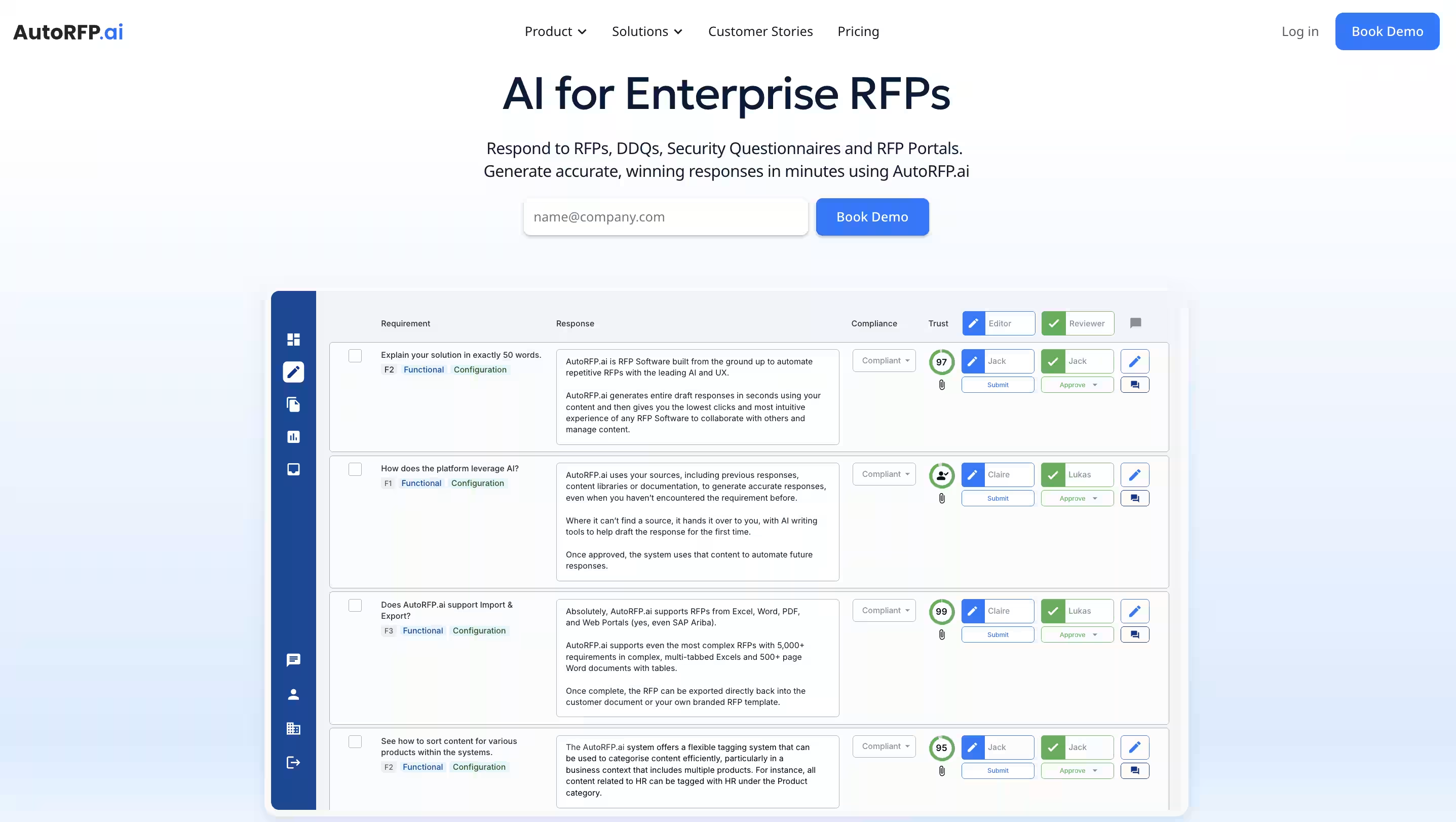
- Best for: lean SMBs and solo proposal owners who need fast first drafts (a top SMB pick)
- G2 rating: approximately 4.9 out of 5 (smaller review base)
- Pricing model: transparent, Scale at $899 per month, Accelerate at $1,299 per month, both billed annually with unlimited users, Enterprise quoted on volume
- Deployment timeline: near-immediate, learns from your uploads
If your only metric is how fast you can get a draft from "blank page" to "70% done," AutoRFP.ai is the right tool for you. While legacy platforms force you to meticulously tag and organize content before you can use it, AutoRFP flips the model. It acts as a formatting engine that digests your historical proposals and immediately starts predicting answers for new ones.
Why it works for small teams: The barrier to entry is non-existent. You don't need to hire a proposal manager to "seed" the database. You simply upload your past wins, and the system handles the heavy lifting of matching new questions to old answers. It categorizes inquiries, separating security questions from legal ones, and routes them accordingly.
The bottom line: It is a volume play. If you need to churn out standard responses quickly and lack a complex compliance requirement, this is the most efficient path. The pricing is also refreshing, typically starting around $899/month with unlimited users, which avoids the "seat tax" that punishes you for growing.
For a lean SMB team, AutoRFP.ai is one of our two top picks (alongside Inventive AI). It gives you the speed and the transparent pricing a small team needs, without the enterprise setup you would not use yet.
Pros:
- Published, predictable pricing with unlimited users
- Almost no setup, drafts from your past proposals right away
- Strong at high-volume, repeatable responses
Cons:
- A drafting accelerator, not a full bid-management platform
- Less suited to complex, multi-section compliance work
- Output still needs a human review pass before it ships
In practice: AutoRFP shines when your responses are 80% repeatable and you just need them fast. The published pricing on the AutoRFP.ai pricing page also makes budgeting painless, which matters when you cannot afford a surprise five-figure quote. Where it strains is the long, narrative, government-style bid with compliance matrices and addendums.
3. Loopio

- Best for: strict compliance and content governance
- G2 rating: approximately 4.6 out of 5 (800+ reviews)
- Pricing model: annual contract, custom quote, reported around $20K and up per year
- Deployment timeline: several weeks, curation-heavy onboarding
Loopio is the standard-bearer for the "centralized library" philosophy. It is less about generative creation and more about strict governance. If your business requires a "Single Source of Truth" that is manually curated, stamped, and approved by legal, Loopio is the strongest option.
Why it works for small teams: It forces discipline. The platform excels at content governance, allowing you to assign specific "owners" to different categories (e.g., the CISO owns security, the VP of Product owns the roadmap). It then automates review cycles, nagging those owners to verify their answers every six months.
The trade-off: You get out exactly what you put in. Unlike SiftHub or AutoRFP, which rely on search and inference, Loopio relies on curation. It is a maintenance-heavy tool. However, for highly regulated industries like healthcare or finance, where an incorrect answer can lead to a lawsuit, maintenance is a necessary insurance policy.
Pros:
- Mature, battle-tested governance and content ownership
- Large review base and a long track record
- Strong fit for regulated industries that need approval chains
Cons:
- Maintenance-heavy, you pay in curation time
- Higher entry cost and a longer onboarding
- Answer quality depends entirely on how well the library is kept
In practice: Loopio rewards teams that treat their content library as a real asset. Its 800-plus reviews on G2 reflect years of teams building disciplined answer libraries and getting reliable output in return. The catch for a small business is honest self-assessment. If you genuinely have someone who will own the library, Loopio pays off. If that person does not exist, and in most lean teams they do not, the library goes stale.
4. Responsive (formerly RFPIO)

- Best for: scaling teams, or a small division inside a larger company
- G2 rating: approximately 4.5 out of 5 (1,200+ reviews)
- Pricing model: custom and unpublished, reported roughly $7,000 to $28,000 per year depending on tier and add-ons
- Deployment timeline: 4 to 8 weeks for mid-market, several months for large enterprise
The "heavyweight champion" might be overkill. Responsive is the market leader for a reason: it does everything. It handles import/export, project management, complex team routing, and integrates with almost every CRM on earth.
Why it fits: If your "small business" is actually a small division of a larger company, or if you answer 500+ RFPs a year, you need this horsepower. Their "LookUp" feature is excellent. It lets you find answers without leaving your browser or email.
The Trade-off: It feels like enterprise software. The learning curve is steep, and the setup takes time. You don't just "log in and go"; you configure it.
Verdict: Buy this if you plan to double your team size next year. If you just need to answer three RFPs a month, look elsewhere.
Pros:
- Deepest feature set and integration ecosystem in the category
- Proven at scale across large, distributed teams
- Reliable first drafts for structured questionnaires when the library is maintained
Cons:
- Steep learning curve and multi-week implementation
- Pricing is opaque and add-ons stack up
- Overbuilt for a team answering a handful of RFPs a month
In practice: Responsive is what you graduate into, not what you start with. Buyers report annual costs anywhere from roughly $7,000 to $28,000 depending on tier and add-ons, with the average landing near $14,000. That tells you the platform assumes a real budget and a real bid function.
5. Qvidian
- Best for: security and compliance in highly regulated industries
- G2 rating: approximately 4.3 out of 5 (166 reviews)
- Pricing model: enterprise, custom quote
- Deployment timeline: several weeks, governance-heavy setup
The "Fort Knox" of proposal management. Qvidian has been around a long time, and it shows, in both good and bad ways. It is the go-to choice for banks, healthcare providers, and anyone terrified of a compliance audit.
Why it fits: It offers granular control over who sees what. You can lock down specific answers so that a junior rep can't accidentally promise a feature you don't have. Its "content library" is rigid but bulletproof.
The Trade-off: It feels "old school." The UI isn't as snappy as SiftHub or Tribble, and it lacks some of the modern "generative" flair.
Verdict: The safe bet for regulated industries. If your Chief Compliance Officer is the one signing the check, this is the one they will want.
Pros:
- Granular permission and lockdown controls
- Long track record in regulated, audit-heavy environments
- Rigid but dependable content governance
Cons:
- Dated interface compared to AI-native tools
- Limited modern generative capability
- Heavier setup than a lean team usually wants
In practice: Qvidian is chosen by the compliance officer more often than the proposal writer. In a regulated shop where a wrong answer is a legal exposure, its rigid controls are the point, not a drawback. A fast-moving startup will find it heavy.
6. Tribble
- Best for: Slack-native startups that move fast
- G2 rating: approximately 4.7 out of 5 (175 reviews)
- Pricing model: custom
- Deployment timeline: fast, agentic search reduces setup
The "agentic" scrappy newcomer. Tribble is one of the newer entrants, betting entirely on "Agentic AI." Instead of you searching for answers, Tribble's agents go out, find the answer in your Slack or Jira, and bring it back to you.
Why it fits: It is built for the chaotic way startups actually work. It knows that your best answers aren't in a formal document; they are buried in a random Slack thread from last Tuesday. Tribble finds them.
The trade-off: Being newer, it might lack the deep, boring features (like complex table formatting in Word) that legacy tools perfected years ago.
Verdict: If your company lives in Slack and moves fast, Tribble fits your culture.
Pros:
- Agentic search across Slack, Jira, and similar tools
- Low maintenance, built for messy startup knowledge
- Fast to get value from
Cons:
- Newer, so some deep formatting and workflow features are still maturing
- Smaller review base to judge from
- Custom pricing with less public transparency
In practice: Tribble suits a startup that would rather the tool go find the answer than ask a person to file it. If your knowledge already lives in Slack and Jira, that model fits how you work. If you need polished Word output for formal bids, test that first.
7. Inventive AI
- Best for: lean SMBs whose main worry is answer quality and catching contradictions (a top SMB pick)
- G2 rating: approximately 5.0 out of 5 (80+ reviews, mid-market skew)
- Pricing model: usage-based, gated behind a sales call, free trial available
- Deployment timeline: fast, connects to existing knowledge sources, most users finish a first project within a day
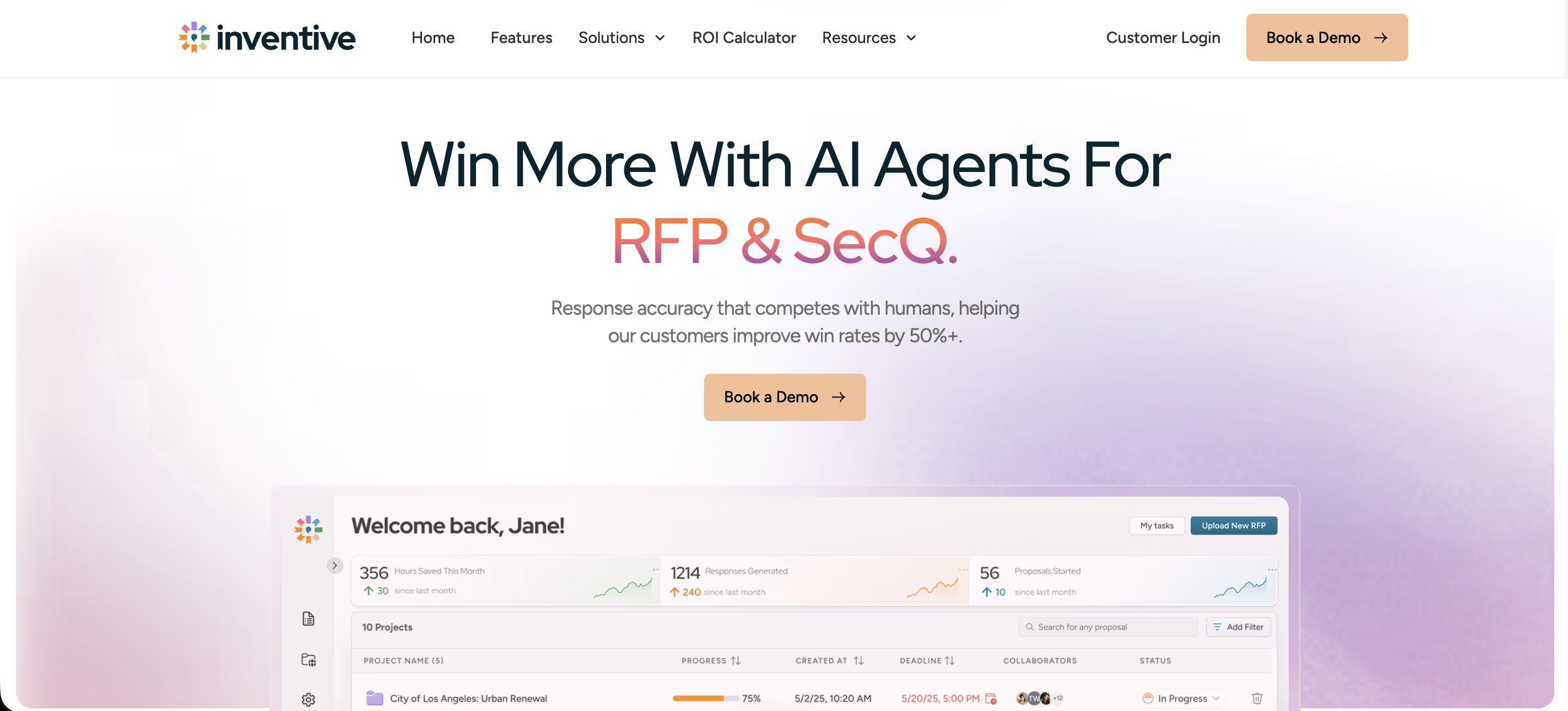
The AI-native platform built around answer quality. Inventive AI is one of the newer agentic entrants, and its bet is accuracy. It reads the entire questionnaire before writing a single answer, so a 1,000-question RFP stays consistent from the first row to the last instead of drifting partway through.
Why it fits: It connects to where your knowledge already lives (SharePoint, Notion, Confluence, Drive, Salesforce) and drafts from that, so there's no separate library to seed. Its standout is the AI Conflict Manager, which flags when two of your sources disagree before a wrong answer reaches the buyer. For a small team with no dedicated content owner, that catches mistakes you'd otherwise ship.
The trade-off: Pricing is usage-based and gated behind a sales call, so you can't size the cost from the website the way you can with AutoRFP. Its center of gravity is the response workflow, not the live deal around it. So it does less to tie an answer back to the specific opportunity in your CRM.
Verdict: A strong pick if response quality and catching contradictions are your main worry. Alongside AutoRFP.ai, it is one of our two top picks for lean SMB teams. If you want answers that also carry deal and account context as you scale, that's where SiftHub pulls ahead.
Pros:
- Reads the full questionnaire for consistency across long documents
- Conflict Manager catches contradictory sources before they ship
- High G2 rating and easy onboarding
Cons:
- Pricing is not public, sized on a sales call
- Focused on the response, less on the surrounding deal
- Usage-based cost can be hard to forecast
In practice: for a lean SMB that ships proposals no one has time to fully re-check, the Conflict Manager earns its keep. It catches contradictions before a buyer does.
8. Arphie

- Best for: high-growth and enterprise teams that want AI-native accuracy with a per-project cost
- G2 rating: approximately 4.9 out of 5 (small review base, around 17 reviews)
- Pricing model: custom quote, flat per-project with unlimited users, no standard free trial but no-risk trials on request
- Deployment timeline: fast, migrates from legacy tools in a few clicks, near-zero library seeding
Arphie is an AI-native tool for RFPs, RFIs, DDQs, and security questionnaires, aimed at sales, solutions engineering, and proposal teams. It was built from the ground up around AI-generated responses rather than bolting AI onto a legacy content-library model. Founded in 2023, it is one of the newer entrants, and its early ratings cluster near the top of the category.
Why it works for small teams: Arphie connects to your business information where it lives instead of forcing you to pull everything into a Q&A library. When your marketing team updates a pitch deck, Arphie recognizes the change and makes it available automatically. It can also migrate content from legacy RFP software in a few clicks, so you keep your prior library when you switch.
The pricing model is worth calling out. Rather than charging per named user, Arphie uses a flat per-project model with unlimited users included. That directly addresses a real pain in this category. RFP responses pull in contributors from sales, engineering, legal, security, and product, most of whom only touch the response occasionally. A per-user model punishes you for looping them in. A per-project model does not.
The trade-off: Pricing is quote-based, so you cannot size the cost from the website. The review base is still small, which is normal for a tool this new, so treat the near-perfect ratings as encouraging early signal rather than a long track record.
Pros:
- AI-native accuracy with exact source citations
- Per-project pricing with unlimited users, no seat tax
- Fast migration from legacy tools, near-zero library seeding
- Enterprise-grade security, SOC 2 Type 2 and SAML SSO
Cons:
- Quote-based pricing, no public rate card
- Small review base given its short market history
- Focused on the response workflow, less on deal and account context
In practice: Arphie's per-project pricing is the detail small teams should pay attention to. Most tools charge per seat, which quietly penalizes you every time you pull in an engineer or a legal reviewer for a single answer. Its early profiles on Capterra and Gartner Peer Insights show strong satisfaction, though the small sample means you should run your own pilot on real questions before committing.
9. 1up

- Best for: lean sales and IT teams answering high-volume, short-form questionnaires in Slack or Teams
- G2 rating: approximately 4.9 out of 5 (across G2 and Gartner Peer Insights, roughly 23 to 36 reviews)
- Pricing model: transparent and public, free plan available, Starter around $250 to $300 per month, Plus $900 per month, Enterprise custom
- Deployment timeline: near-immediate, self-serve, generates a knowledge base from your sources
1up is a knowledge-automation platform built for sales and IT teams answering high-volume, short-form questions: security questionnaires, DDQs, and fast RFPs. Its bet is speed and simplicity, and it delivers answers where your team already works, inside Slack, Microsoft Teams, and Google Chat, without switching platforms.
Why it works for small teams: It is one of the lowest-friction entries in the whole category. There is a genuine free plan with no credit card required, and paid tiers start well below the enterprise suites. 1up builds a knowledge base for your products from multiple sources: your website, product docs, past RFPs, and third-party sources like Google Drive and SharePoint. It then lets you segment data by product or line of business, so answers stay product-specific.
The trade-off: 1up is a drafting accelerator for repeatable questionnaires, not a full bid-management platform. Verified reviews flag limits on very complex, multi-part enterprise questionnaires and note that answer quality tracks closely with how well your documentation is maintained. Some early-stage stability issues have been reported, though reviewers consistently describe fast support.
Pros:
- Transparent public pricing with a real free tier
- Native Slack, Teams, and Google Chat answers
- Fast, self-serve setup with no implementation project
- Multilingual generation and multi-region hosting
Cons:
- Best for short-form questionnaires, weaker on long-form narrative RFPs
- Answer quality depends on documentation hygiene
- Some early-stage bugs reported by reviewers
In practice: 1up is the tool to reach for when your bottleneck is a steady stream of security questionnaires and short sales questions, not sprawling bids. Because it answers directly inside Slack and Teams, adoption is easy, since your team never has to learn a new home. Its G2 profile shows a strong rating from an enthusiastic base, with the recurring caveat that it handles the quick stuff far better than the complex, multi-part enterprise questionnaire.
10. DeepRFP

- Best for: solo consultants, freelance bid writers, and lean proposal teams that want per-user pricing with no contract
- G2 rating: minimal G2 presence, approximately 5.0 out of 5 on Capterra (small sample)
- Pricing model: transparent and public, per-user, Pro around $75 to $89 per user per month, Elite $125 per user per month, 7-day free trial, 20% off annual, no multi-year lock-in
- Deployment timeline: near-immediate, self-serve, no implementation project
DeepRFP is AI-native RFP software built specifically for the responder side: proposal professionals, small businesses, consultants, and lean teams. It is a kit of AI agents and tools. They analyze an RFP, identify requirements, flag risks, build a compliance matrix, draft narrative responses, and run a review pass before submission. It is not trying to replace an enterprise platform. It is trying to get a small team from intake to a usable draft without buying software bloat.
Why it works for small teams: Pricing is public and genuinely affordable, starting around $75 per user per month, with no minimum seat count and no annual commitment at entry level. For an independent consultant juggling proposals across several clients, per-user pricing keeps costs predictable and proportional to actual workload. You upload an RFP and past content, and its agents produce a narrative draft section by section, exported to a Word file ready for review.
The trade-off: Seat-based pricing gets less flexible as the team grows and the workload fluctuates. It lacks the deep integrations, governance, and SSO that enterprise environments expect, and generated responses often need a solid rewrite before they ship. The interface is functional rather than polished, and the review base is thin because the product is early and niche.
Pros:
- Public, low, per-user pricing with a free trial and no lock-in
- Purpose-built for solo consultants and lean teams
- Covers bid/no-bid, drafting, compliance matrix, and review in one kit
Cons:
- Seat-based cost scales awkwardly for growing teams
- Light on integrations, governance, and enterprise security
- Drafts usually need meaningful rewriting, and the UI is basic
In practice: DeepRFP is the honest choice for a solo consultant or a two-person shop that needs to respond to RFPs without buying a platform built for a 200-person department. Its listing on Gartner Peer Insights positions it squarely for lean, responder-side teams. Expect a draft that gets you most of the way, which you then rewrite for voice and accuracy.
Comparison table for best RFP software for small business
Every rating, price, and timeline below reflects public vendor pages, verified review data, and third-party sources as of 2026. Newer AI-native tools carry smaller review counts, so read their ratings as early signal. Confirm current numbers with each vendor before you buy.
| Software | Best for SMB | G2 rating | Pricing model | Deployment timeline | Maintenance |
|---|---|---|---|---|---|
| SiftHub | Scaling SMBs and mid-market or enterprise teams | ~4.5 / 5 (43 reviews) | Custom, mid-market friendly | First drafts within a week, no migration | Zero, auto-syncs |
| AutoRFP.ai | Top SMB pick, fast first drafts from past wins | ~4.9 / 5 (small base) | Transparent, ~$899/mo Scale, $1,299/mo Accelerate, unlimited users | Near-immediate | Low, learns from uploads |
| Loopio | Strict compliance and content governance | ~4.6 / 5 (800+) | Annual contract, ~$20K+/yr | Several weeks | High, manual curation |
| Responsive | Scaling teams, high RFP volume | ~4.5 / 5 (1,200+) | Custom, ~$7K to $28K/yr | 4 to 8 weeks, or months at enterprise | High, complex setup |
| Qvidian | Regulated industries, audit control | ~4.3 / 5 (166 reviews) | Enterprise custom | Several weeks | High, strict governance |
| Tribble | Slack-native startups | ~4.7 / 5 (175 reviews) | Custom | Fast, agentic search | Low |
| Inventive AI | Top SMB pick, answer quality and catching contradictions | ~5.0 / 5 (80+) | Usage-based, sales-led, free trial | Fast, first project in a day | Low |
| Arphie | AI-native accuracy with per-project cost | ~4.9 / 5 (small base) | Custom, flat per-project, unlimited users | Fast, few-click migration | Low, reads live sources |
| 1up | High-volume short-form questionnaires in Slack or Teams | ~4.9 / 5 (small base) | Transparent, free plan, ~$250 to $300/mo Starter, $900/mo Plus | Near-immediate, self-serve | Low, tracks documentation |
| DeepRFP | Solo consultants and lean teams | ~5.0 / 5 on Capterra (small sample) | Transparent, per-user, ~$75 to $125/user/mo, free trial | Near-immediate, self-serve | Low, but seat-based |
What proposal teams actually say about RFP software
Ratings tell you a score. Practitioners tell you the truth. Read past the star counts on G2 and Capterra, into the discussions where proposal managers, sales engineers, and RevOps leads compare notes. The same themes surface again and again. They are worth knowing before you buy.
The breaking point is always volume. Teams rarely go looking for software until RFP load starts eating into pipeline. One or two proposals a month is manageable by hand. Eight is not. The moment responses start slipping deadlines or pulling engineers off real work, the search begins.
The complaints are remarkably consistent. Heavy users describe the same daily grind. Too much copy-paste. Too many outdated or duplicate versions of the same answer. Constant chasing of subject matter experts in Slack. The pain is not writing a new answer. It is finding the right existing one and trusting that it is current.
What teams actually want is narrower than what vendors sell. Practitioners consistently say they are not after flashy dashboards. They want faster turnaround, a centralized answer library, fewer SME bottlenecks, and clear visibility into what is going out the door. A tool that nails those four things beats a tool with a longer feature list.
The review-site pattern is worth reading carefully too. AI-native newcomers like Inventive AI, Arphie, and 1up cluster near-perfect ratings, but on small samples, so treat them as early signal. Legacy suites like Responsive and Loopio carry hundreds or thousands of reviews and long track records, but the recurring knock is complexity and maintenance load. Neither pattern is a dealbreaker. Both are context you should carry into a demo.
The takeaway for a small team: weight the peer signal that matches your situation. A glowing enterprise review from a 200-person bid team tells you little about life as a team of three. Look for reviewers who share your size and volume, and read what they complain about, not just what they praise.
How to choose RFP software for small businesses
The comparison table narrows the field. This section helps you pick. Work through these questions in order, because each one eliminates options and makes the next choice easier.
Start with your volume and complexity
Count how many RFPs and questionnaires you answer in a year, and how complex they are. The honest answer usually points to a whole tier.
- Under 10 a year, mostly short questionnaires: a self-serve, transparent-pricing tool like 1up or DeepRFP will cover you without a contract.
- 10 to 50 a year, a mix of RFPs and security questionnaires: for a lean SMB team, AutoRFP.ai and Inventive AI are the strongest picks. If you are scaling fast toward mid-market, SiftHub is built for where you are heading.
- 50-plus a year, or long multi-section bids, or you are already mid-market or enterprise: SiftHub for live-data automation at scale, or Responsive and Loopio if strict governance is the priority.
Decide how much maintenance you can afford
This is the question most teams skip, and it is the one that decides whether the tool survives past month three. A library-based tool like Loopio or Responsive only works if someone owns the content and keeps it current. If no one on your team has that time, an auto-syncing tool that reads live data will serve you far better than a powerful library you cannot maintain.
Check what it connects to
Your best answers already live somewhere: Slack, Drive, SharePoint, your CRM, past submissions. The tools that read those sources directly save you the seeding work. Map the software's integrations against your actual stack before you judge its AI. A brilliant model with no connection to your knowledge is an expensive blank page.
Match pricing to how your team grows
Per-user pricing is predictable for a solo consultant. It becomes punishing for a growing team that needs to loop in engineers, legal, and security. Per-project or flat pricing with unlimited users, like Arphie's model, fits the reality that many contributors touch a response occasionally. If you plan to grow headcount, price the tool at the size you will be next year, not the size you are today.
Run a real pilot before you sign
Do not buy on a demo. Load the same real RFP into your two finalists, with the same approved, stale, missing, and conflicting source material. Score retrieval, citations, unsupported claims, collaboration, and cleanup separately. Include the people who will actually use it: the proposal owner, an occasional contributor, and the final approver. The tool that produces a usable draft with the least cleanup wins, whatever the sales deck says.
Weigh cost against recovered time, not sticker price
The cheapest tool is rarely the most cost-effective. A tool that costs $500 a month but saves 10 hours per RFP at a $75 fully loaded hourly cost returns $750 in value per RFP. At 10 RFPs a month, that is $7,500 in recovered capacity against $500 in cost. Judge the price by what you get back, not what you pay.
Common mistakes small businesses make when buying RFP software
Most buying regret in this category traces back to a handful of avoidable errors. Knowing them upfront saves you a wasted year and a wasted budget.
Buying for the team you have, not the team you will have
A tool that fits three people today can strand you when you are twelve. If you are on a growth trajectory, weigh how each tool prices and scales. This is also why a fast-growing SMB often looks at SiftHub early: it is built for the size you are heading toward, not just the size you are now.
Mistaking a powerful library for a useful one
The most feature-rich library tool is worthless if nobody maintains it. Lean teams consistently overestimate how much curation they will do. Be brutally honest. If you will not assign an owner and protect their time, choose a tool that stays current on its own.
Judging AI on the demo instead of your data
Every vendor demo looks great, because it runs on curated questions and clean data. Your real RFPs are messier. The only test that matters is the tool running on your actual documents, including the stale and conflicting ones.
Ignoring the total cost of ownership
The license is the sticker price, not the real price. Onboarding, data migration, premium support, and dedicated hosting are often paid add-ons on enterprise tools. Ask what the first-year cost is, all in, and what renewal looks like.
Optimizing for features over adoption
The best tool is the one your team actually uses. A slightly less powerful tool that lives inside Slack, where your team already works, often wins. It beats a more capable platform that forces everyone to log into yet another system. Adoption is a feature. Treat it like one.
How to measure ROI on RFP software
Once you have chosen a tool, prove it is working. The measurement comes down to time, win rate, and capacity.
Time recovered per response
Track hours per RFP before and after. If a response took 18 hours manually and now takes 2 hours of review, you have recovered 16 hours per RFP. Multiply by your monthly volume and your fully loaded hourly cost to get a dollar figure you can put in front of anyone.
Response volume and win influence
Capacity is the quieter win. If automation lets you respond to eight RFPs a month instead of four, you have doubled your shots on goal without hiring. Track how many opportunities you can now pursue that you would have passed on before, and watch whether win rate holds or improves as volume rises.
Consistency and error reduction
Harder to quantify, but real. Count how often reviewers catch a contradiction or a stale answer before it ships, and whether that number falls over time as the tool keeps your knowledge current. Fewer wrong answers reaching a buyer protects deals you would otherwise lose quietly.
Why the future of small business RFP software is agentic
For the last decade, buying RFP software meant buying a database. You paid for an empty box, and then you paid your employees to fill that box with questions and answers.
That era is over.
The market is splitting into two camps: the Librarians (Loopio, Responsive) who want you to organize knowledge, and the Agents (SiftHub, Tribble) who want to do the work for you.
For most small businesses, the "Librarian" model is a trap. You rarely have the resources to keep a static library updated. By the time you tag an answer, it is already stale. That is why a lean SMB team is usually better served starting with an agentic, low-maintenance tool like AutoRFP.ai or Inventive AI than with a heavy library platform.
For teams that are scaling fast, or that already sit in the mid-market or enterprise, SiftHub is the strategic choice for 2026. It acknowledges the messy reality of a growing company, that knowledge lives in Slack threads, CRM notes, and constantly changing Google Docs. Instead of forcing you to clean up that mess, SiftHub's AI navigates it. It offers the promise of a "self-healing" knowledge base, where your proposal software gets smarter every time your product team updates a spec sheet, without you lifting a finger.
If you want to win more deals without hiring a proposal manager, stop building libraries. Hire an AI teammate instead.